How to Sell Your Art with Print-on-Demand (Right from Your Own Website!)
ART BUSINESS TIPS
12/8/20255 min read
So, if you’ve ever dreamed of turning your artwork into prints, greeting cards, or even fun things like mugs and placemats—but really don’t want to deal with printing, packing, shipping, or keeping boxes of stock in your house—then print-on-demand is about to become your new best friend.
And in this blog post, I’m going to show you exactly how you can set up your very own print-on-demand shop right on your website using Hostinger. Yup—no Etsy fees, no extra platforms, and no stress.



If you’ve read some of my content before, you already know I’m a big fan of Hostinger. I use them to host my own artist website where I sell my paintings, prints, greeting cards and bookmarks. And now they’ve launched a brand-new feature that lets you add a print-on-demand store directly to your site.
I’ve been playing around with it and honestly, it’s so good. It literally lets you set up a shop, upload your artwork, and sell worldwide while Printful handles the production and shipping.
So here’s what we’re covering:
A quick intro to Hostinger (for anyone starting fresh)
How to set up a website with their AI builder
How to connect Printful
How to create your first POD product
Pricing, billing, and payments
And then… you’re ready to sell!

Let’s kick things off with Hostinger itself. It’s an affordable website builder—plans usually start at just a few dollars a month.
If you’re building an online art shop, I recommend the Business Website Builder Plan. It has everything you’ll need, including the print-on-demand feature.
A Few Things I Love About Hostinger:
No coding needed. It's super beginner friendly. Their built-in AI tools also help speed everything up.
No additional costs to have a website shop. You can start selling without paying additional fees.
You keep 100% of your profits. Hostinger doesn’t take transaction fees (a lot of other platforms do).
Automatic fulfillment through Printful. Once you’re set up, Hostinger + Printful handle everything behind the scenes.
Basically, if you want to launch a shop without the tech headaches, this is the perfect solution for you.
If you fancy setting up your very own print-on-demand shop with Hostinger, then I have a discount link that will enable you to get plans even cheaper! Head to:
hostinger.com/alexgoddard + my coupon code ALEXGODDARD at checkout for an extra 10% off plan prices.
Getting started with Hostinger
If you’ve never built a website before, don’t worry. Hostinger’s AI Website Builder basically does the heavy lifting for you.
All you have to do is:
Type in your brand or business name
Describe what you do
Ask it to generate a homepage, About Me page, and Shop page
Pick your colors and fonts
Boom—your website appears in minutes. And you can tweak and customize everything afterward.
Building Your Website with AI (Seriously, It’s So Fast)

Let’s talk pricing—because this is what determines your profit.
When you create a product in Printful, you’ll see:
Base cost — what Printful charges you
Retail price — what your customer pays
You can increase the retail price to add your profit margin, either as a set amount or a percentage. Printful even shows you your estimated profit per item as you adjust pricing, which is super helpful.
Note: shipping isn’t included here. Shipping fees vary by customer location and shipping method, so keep that in mind when setting prices and deciding how you want to handle shipping in your shop.
Once you’re happy with your pricing, save the product and it automatically syncs to your website.
This part is important.
When a customer buys something on your website:
The customer pays you (through your own store’s payment system).
Printful charges your saved payment method (like a card or PayPal) to produce and ship the item.
The difference between those two amounts is your profit.
So make sure your billing info in Printful is set up so orders process smoothly behind the scenes.

Setting Up Your Print-on-Demand Products
Ready for the fun part? Let’s get your artwork onto real products.
Go to your store dashboard → Integrations → click Get Started and add Printful.
What Is Printful?
Printful is a huge on-demand printing and fulfillment company that produces your products only after someone places an order. No extra stock, no monthly fees, no risk.
They have fulfilment centers all over the world—UK, Spain, Canada, Japan, Australia, the U.S., South America—you name it. So your customers always get their orders from the closest location.
Setting it up is simple:
Create a free Printful account
Connect it to your Hostinger store
You’re ready to start adding products
Once you’re connected, you can easily create things like canvas prints, posters, cards, mugs… whatever suits your art.
This step is all about how customers pay you.
Go to your store settings and check:
Your location
Your currency
Then choose your payment provider (PayPal and Stripe are the most popular and easiest to set up). Once your payment method is connected, money from customer purchases goes straight to your PayPal or bank account.
Printful fulfills the order separately using the billing setup you added earlier—and you never have to touch a package.
Configuring Payments (So You Can Get Paid!)
Ready, Set… Start Selling Your Art!
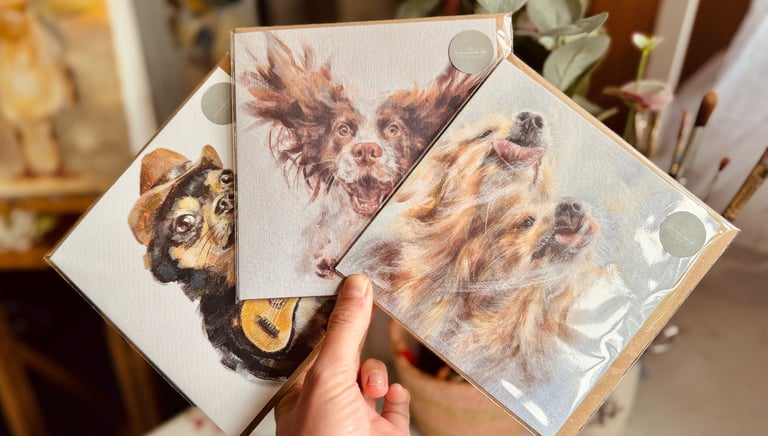
And that’s it! Once everything is connected—Hostinger, Printful, your billing, and your payment provider—your new print-on-demand shop is officially open.
Customers can browse your products, place orders, and Printful will print, pack, and ship everything automatically. You get paid, your customers get beautiful artwork, and you never have to deal with inventory or shipping.
If you want to try setting up your very own print-on-demand shop with Hostinger, don’t forget to use my discount link:
hostinger.com/alexgoddard + my coupon code ALEXGODDARD at checkout for an extra 10% off plan prices.